
What is new ?
Well ..... the program starts from the old RemMe but  not consider this
an update. THIS IS FULLY A NEW PROGRAM
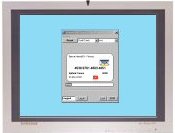
All the code has been totally rewritten and the GUI has been redesigned
to better use the available (low) screen 's space with new features.
The password routines have been fixed. (you can read full details below).

System'requirements.

To run the program needs:
DESK Computer with Win 95/98-Win98SE-ME- Win2000 and also XP (not tested).
(require VB5 Runtime - a VB6 Version will follows)
For the Viewer or PPC standalone RemMe CE version:
CE Unit with WinCE 2.11 - WinCE 3.00 - HPC or HPC Pro and PPC2002
(Any available CPU as  ARM, MIPS, SH3)
Obviously on old units may be that the program will run quite slow.

PROGRAM IS AVAILABLE NOW AS - DESK Standalone
                                                          DESK and  CEVIEWER Syncronizable
                                                          POCKET PC Standalone
for ARM Cpu only at this moment

You can find GENERAL INSTRUCTIONS for all the Versions  HERE


What the PROGRAM do now.

- Can memorize 10 classes of documents
- Classes may be customized as the user wishes
- Any Class can contain how many record you like (limited only by speed and memory)
- Class empty may be deleted
- You may add Records of 10 Fields (customizable by class appartenence)
- You may delete any Record you want
- You may Modify a Record's Field by two click
- Program can store Pictures by Title only or memorize their full details
- You can choice to store pictures on a Card instead of into device's main memory
- Data are protected by Password
- You may change your Password any time you like
- Data are encrypted on the fly using random keys
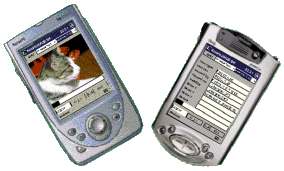
- You can see the picture stored directly on your PPC device
- Pictures are authomatically oriented
- Desk version and PalmPC/PPC versions can be Synchronized by Active Sync
- You may see your data and Lock the program to not show them around
- You may hide Credit Card Pin
- You may add Quick note to a record simply using Modify function.
. The program include all Database and Crypting function in 44Kb.

2 Notes for Standalone Version

Well the PPC standalone version of RemMe2002 is the CEViewer with all the
the Desk functions added.
This allows the user not only to see anywhere his own informations but also
to add, modify, delete any informations directly on your PPC.
To show on the screen all the required commands the fields that usually
the Viewer shows have been moved to the bottom and in the free area, on
top, i added the confirm button and the relative input text boxes to insert
and modify the data.
The PPC Standalone version of RemMe2002 is the only program of this family
that contains all the functions that you find in the other versions.
You can Add a Record or Delete it - Add a Class of documents or Delete it
Modify a field's text, Change at any time your Password and also Modify
the path where to store your pictures to save the main memory of your device.
You can also use the Standalone program a a simple Viewer as it synchronize
the Desk version by Active Sync but remember that you can add at the same
time new data on the Desk and on the Standalone Version as, doing so, you
may lost some data when you will synchronize the two versions.


PROGRAM'S FILES :  The program has been splitted in two separate files
                                  THE DESKTOP Version available HERE
                                  THE PPC VIEWER Version (for PPC Arm CPU) available HERE
                                   or
NEW !!!                     THE PPC STANDALONE Version (For Arm CPU) available HERE

Furtherly fixed  bugs of The Standalone Version
Dowload here the fixed program and overwrite the old file if you have already
installed the previous version. Click HERE to download the fixed file.
The installable package has been updated and is available on Download page.
Main bugs fixed : Duplication of listed documents after Lock button use
                            Error shown on deleting a Record
                            Modification of the Credit Cards fields not working properly.

Planning post
                                  THE HPC VIEWER Version (For HPCpro Mips CPU)  Soonest
                                  THE PPC VIEWER Version (For PPC Mips CPU)       Soonest
                                  THE PPC Standalone Version (For PPC Mips CPU)  Soonest

The program comes with my installer so you can unzip the file and click SetUp to
install the Viewer or the Standalone version. Follow the instructions on the screen
and reply 'NO' if prompted to substitute some files on your device.
(Further information on installer may be found on my pages here)
